Home page
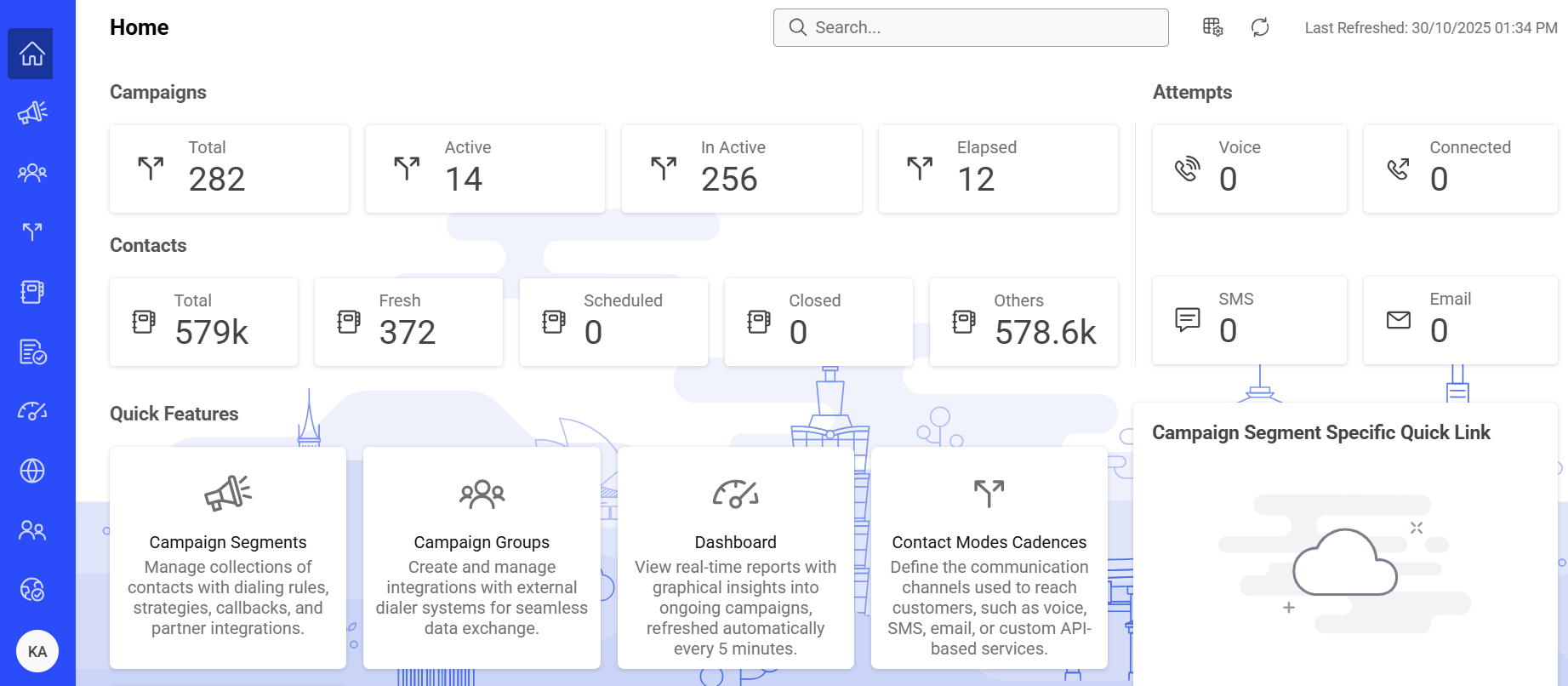
The Home page provides a snapshot of Campaign Segments, attempts, and contacts in your environment. It also gives access to quick features and Campaign Segments specific shortcuts. The data on this page refreshes automatically. The last refresh time appears in the upper-right corner.
Campaign Segments
The Campaign Segments widget shows the following activity:
-
Total – Total number of Campaign Segments created in the console.
-
Active – Number of Campaign Segments currently running.
-
Inactive – Number of Campaign Segments that are not executing. These Campaign Segments can be time-suspended or stopped.
-
Elapsed – Number of Campaign Segments that have passed the configured end date and time.
Attempts
The Attempts widget shows the following activity for the current day:
-
Voice – Number of voice call attempts.
-
Connected – Number of voice calls successfully connected.
-
SMS – Number of SMS message attempts.
-
Email – Number of email attempts.
Contacts widget
The Contacts widget shows the following contact information:
-
Total – Total number of contacts uploaded across all Campaign Segments.
-
Fresh – Number of contacts that are open and never dialed. This includes open contacts delivered to the dialer but not yet dialed out.
-
Scheduled – Number of open contacts that are attempted at least once.
-
Closed – Number of closed contacts.
-
Others – Number of contacts that cannot be delivered. It includes contacts that are scrubbed, contacts that are removed through the Manage Contacts feature, and contacts that have expired.